

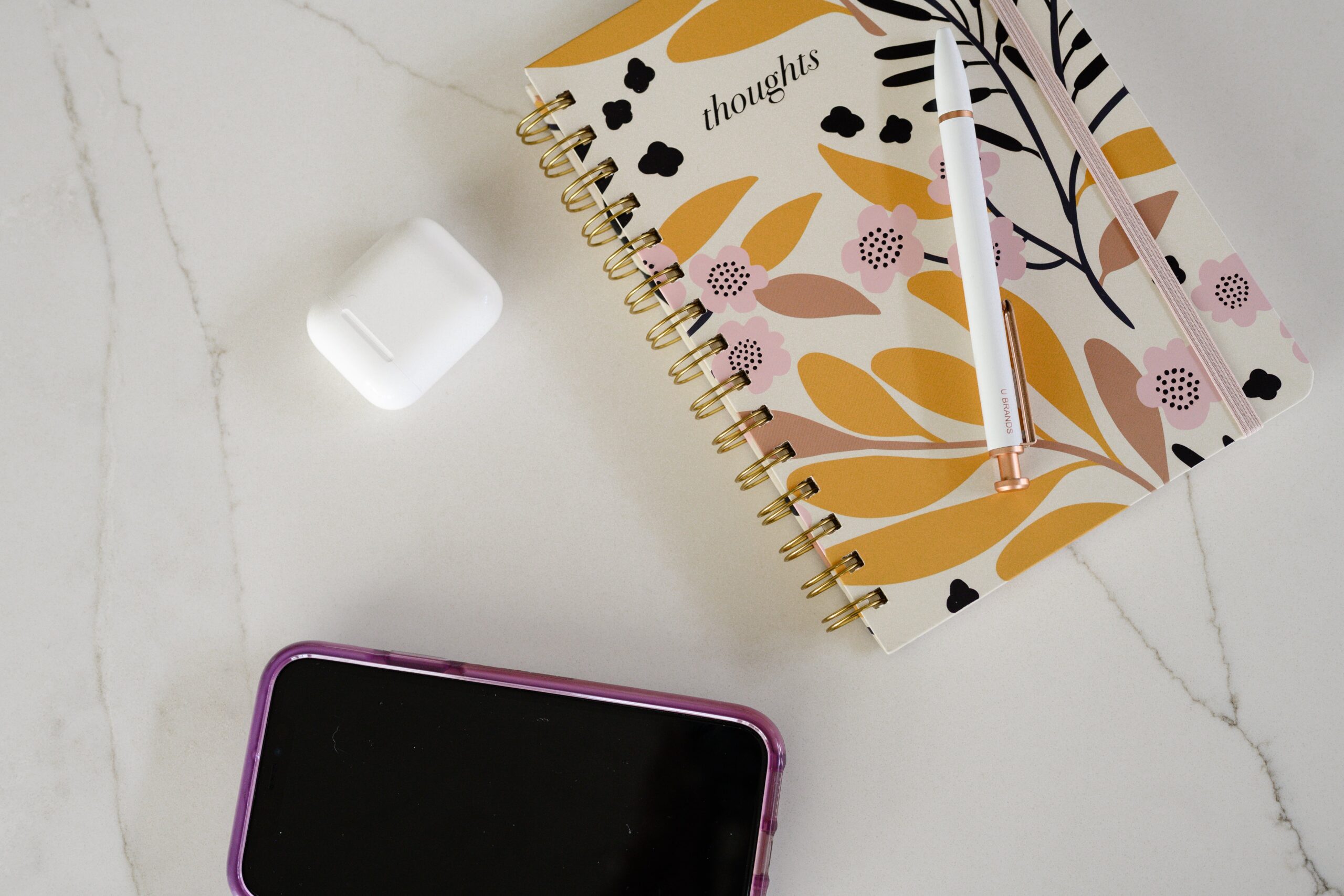



I’m letting you in on my little secret for finding on-brand blog photos…
Because cheeseball stock photos are OUT in 2026. The same ones get rotated all the time and it’s lowkey kinda painful to see a ton of businesses use them.
I have nothing against stock photos. I use them all the time.
I just want them to be on-brand and match my website and IG feed aesthetic. Ya know?
So here’s an easy way to find on-brand blog photos.

Do I Need Blog Photos?
There are certain cases when it makes sense to have images on your blog. Most blogs will need a featured image—I usually use stock or brand images for those.
Then throughout your blog, you may choose to include screenshots, charts, infographics, or stock photos to enhance the reader’s experience on your blog.
Some of my clients don’t want any images, and some want me to put stock images throughout. It’s a personal preference! Just make sure to add alt text to every image you add to your website.
Step-By-Step Guide for Finding Blog Photos on Canva
I’m no graphic designer, so I love Canva and all the design resources it gives me. And this is where my hack for finding aesthetically pleasing blog photos starts.
Open Canva. Easy.
I have the premium version because I use it for basically everything design related and think the cost is worth it.
Start a new project.
On the left side, click “elements” – this is where you’ll search for stock photos.
Type in a phrase related to your business. For me, that looks like:
- Working from home
- Working online
- Home office
- Writing
- Journaling
- Reading
- Typing
You get the idea. Start brainstorming phrases you would use to describe the vibe of your business. (P.S. this is kinda how you do keyword research for blogs, too!)
Pick one, and hit enter in the search bar. I used ‘work from home’ as an example.
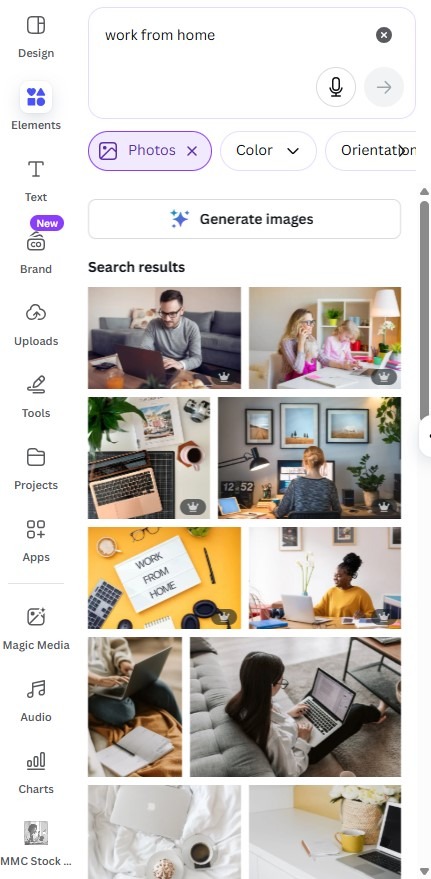
You can see all the generic stock images related to ‘work from home’ appear. We don’t want those. We want graphics that are on-brand.
Click the ‘color’ drop down right under the search bar. Then click the + icon.
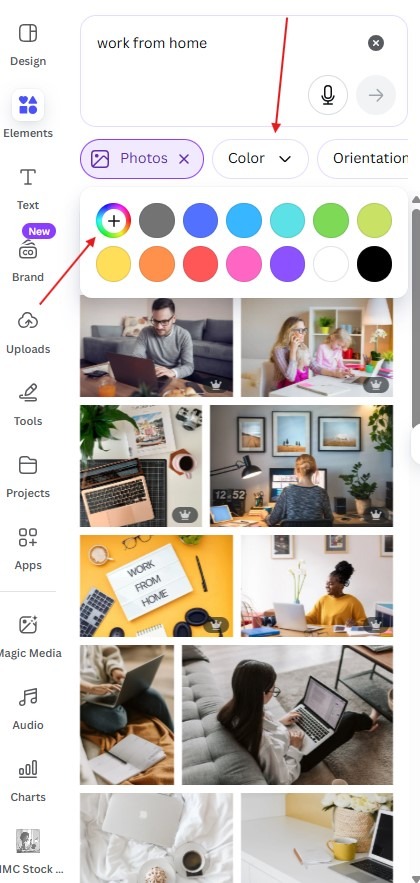
Here’s where you can add the hex code for one of your brand colors. This filters the search results to ONLY include photos that have that color in them.
See how my search results changed after I added my brand color?
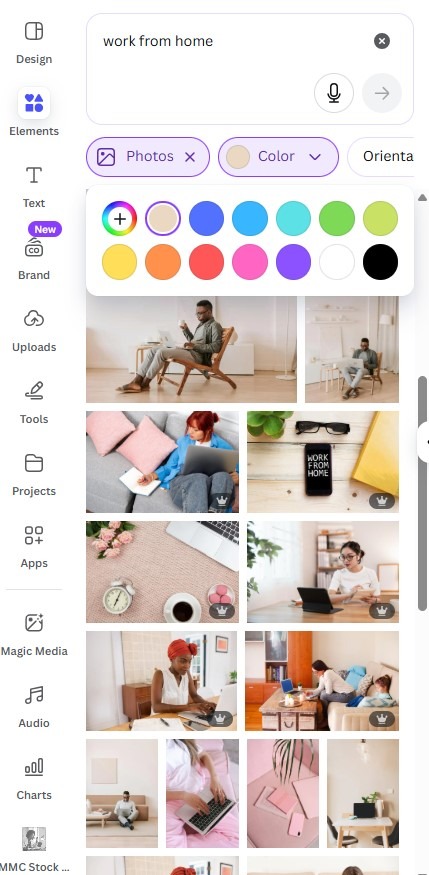
Some of these stock images are still a little cheesy for my liking, but now I can confidently pick some that are on-brand.
It’s as easy as that!
Your Project for Picking Blog Photos
So, your project for the week.
Create a folder in Canva labeled “Stock Images.” Follow this process for every brand color and every phrase you think of to describe your business.
So I would have to enter all my 5 brand colors for the ‘work from home’ search to find images for that keyword with all my brand colors in them.
Find images you like, and save them to your Stock Images folder.
Now you have a huge folder full of on-brand stock images you can use anytime for blogs, social media, emails, or your website.
2 Things to Note
For ANY stock photos you use, make sure you KEEP checking the license for free use. Even on platforms like Canva or Pexels, the photographers can choose not to renew the license and those platforms don’t always tell you. And then you can get in trouble for using them.
If it’s FREE stock photography, check once a year to see if those photos are still on the site and still free.
Also, you cannot redistribute or resell the image as a standalone file. It’s okay to use on your blog, but you can’t claim the image as your original work if you don’t modify it before downloading.
Start Your Project!
This is a super simple way to make sure the blog photos you’re using match your brand. You don’t want a stock photo sticking out like a sore thumb on your website!
Spend the time going through Canva and finding on-brand stock photos. It will be worth the effort now!
FAQs About Blog Photos
You can use images that you own or have permission to use, including your own photography, brand photos, free stock images, graphics you create, or screenshots (if relevant and legally allowed).
Canva images are not automatically copyright-free, but you can legally use them if you follow Canva’s licensing rules:
–Free media: Most free images on Canva are covered under their Free Media License for commercial and non-commercial use.
–Pro/paid media: If you use a paid element, you need a Pro or One-Time Use license. Some restrictions apply, like reselling the image as-is.
No. Only use images that you have the rights to, such as your own photos, free stock images with proper licenses, or purchased stock images. Using copyrighted images without permission can lead to legal issues.
AFFILIATE DISCLAIMER
Some links in this blog post may be affiliate links. I only recommend products and services I trust and believe would be beneficial to you.



More For You To binge

Thanks for Reading!
Wondering how you can get blogs just like this on your website? See how my blog writing services can elevate your content and website traffic!
full service blog writing
podcast show notes
blog optimization
blog strategy
You don't have to stress about publishing new blog posts anymore. My done-for-you blog writing includes everything from topic ideation, researching, writing, strategy, publishing, and reporting.
Easily repurpose your podcast into a blog post! Boost your organic search traffic and gain new listeners every week.
Got some old blog posts on your website that could use some updates? I'll get them updated and optimized for SEO.
Like writing but don't know what to write about or the strategy behind it? I would love to work with you on a done-for-you blog strategy and content calendar.

